Bootcamp graduates are in a tough spot before they even walk into an interview.
They’ve spent intense 12 to 24 weeks learning to code from scratch, often while switching careers, managing financial pressure, and racing toward a job market that expects polished candidates.
By the time they’re done, most can write decent code. What they usually can’t do is talk about it convincingly under pressure.
That’s a career services problem as much as it is a student problem.
Placement rates are how bootcamps prove their value — to prospective students, to employers, to anyone considering whether a $15,000 program is worth it. And placement rates depend on students clearing the full interview loop, not just the technical screen.
The tools most programs point students toward, like LeetCode, HackerRank, or CodeSignal, handle the coding side fine. But they don’t help anyone answer “tell me about yourself” without freezing up. And they don’t fix nervous body language or rambling answers on a video call.
That’s the gap this guide is about.
Passing the Technical Screen Is the Easy Part
Most bootcamp grads put in the hours on coding challenges. They grind LeetCode, practice algorithms, and get comfortable with data structures.
And then they get to the behavioral interview round and fall apart.
It’s not because they’re bad candidates, but because nobody trained them for it.
Interviewing too is a skill that needs to be learned and trained.
Behavioral interviews require a completely different skill set — structuring a story under pressure, making eye contact on a video call, answering “tell me about a time you failed” without either oversharing or going blank.
These aren’t things you pick up just like that. They take deliberate practice, feedback, and repetition.
For career services teams, this creates a specific problem.
You can point every student to LeetCode and call it a day. There’s no equivalent “just go practice here” solution for the soft-skill side — or there wasn’t, until recently.
And with cohorts of 30, 50, 100 students and a team of maybe three or four coaches, you’re not mock-interviewing everyone individually. It doesn’t scale.
So let’s see how you can solve this.
The tools below cover the full spectrum of interview prep. Some handle the technical side well. One handles everything else.
The Best Interview Prep Tools for Coding Bootcamps
Big Interview
Big Interview is an AI-powered interview training platform built specifically for the behavioral and communication side of interviews — the part most other tools on this list ignore entirely.
Students practice answers to common interview questions, get AI feedback on their delivery, pacing, body language, and answer content (relevance, fit for the role, confidence) and work through structured learning paths covering everything from the STAR method to salary negotiation.
It’s not just a practice tool — it’s a curriculum. In fact, there’s 8 different curricula for different students needs and goals:
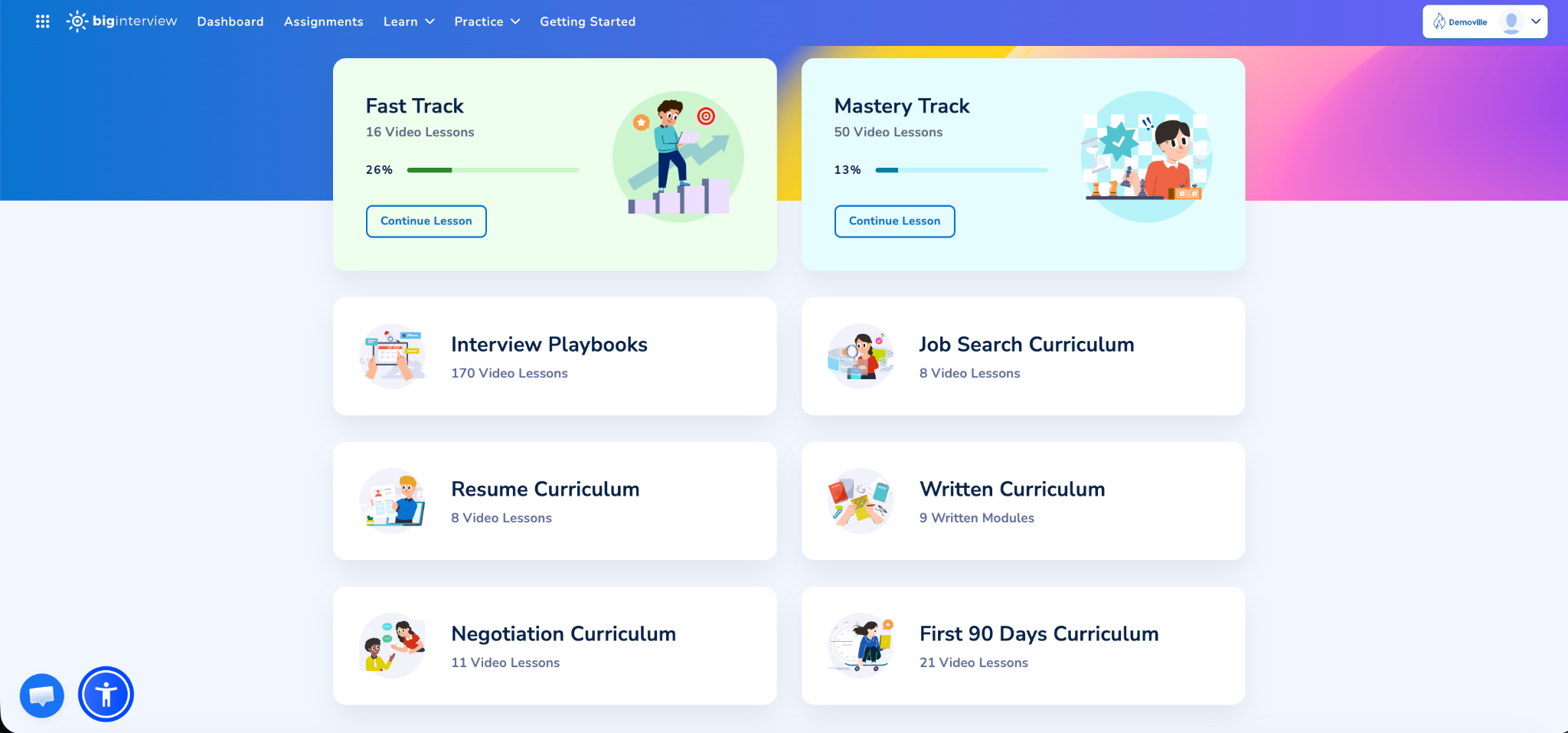
And that’s just the “Learn” aspect. In the “Practice” area, they can hone their interviewing skills with:
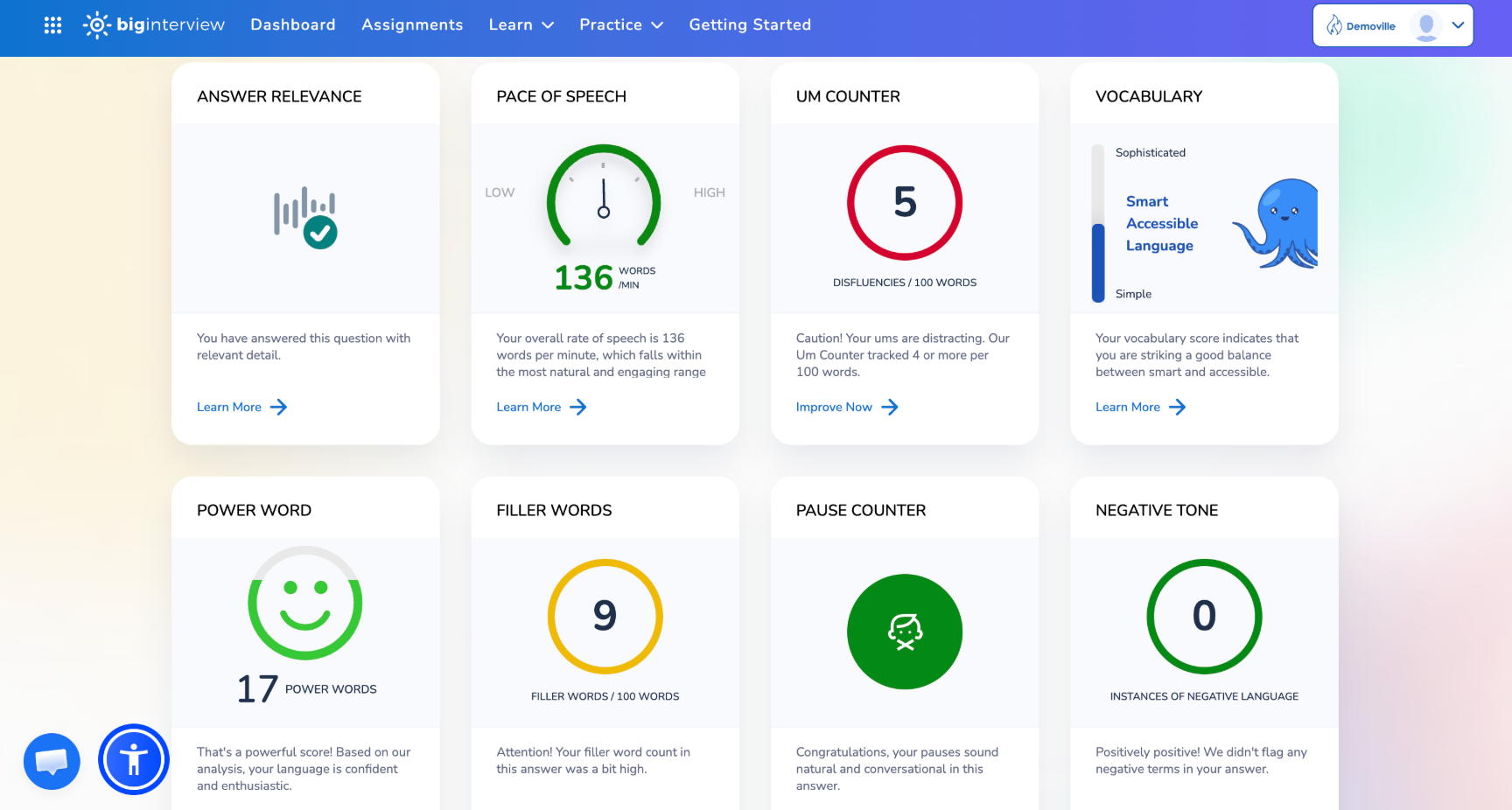
- VideoAI, where they practice answering pre-recorded, common interview questions and get feedback on their delivery (pace of speech, power words…):
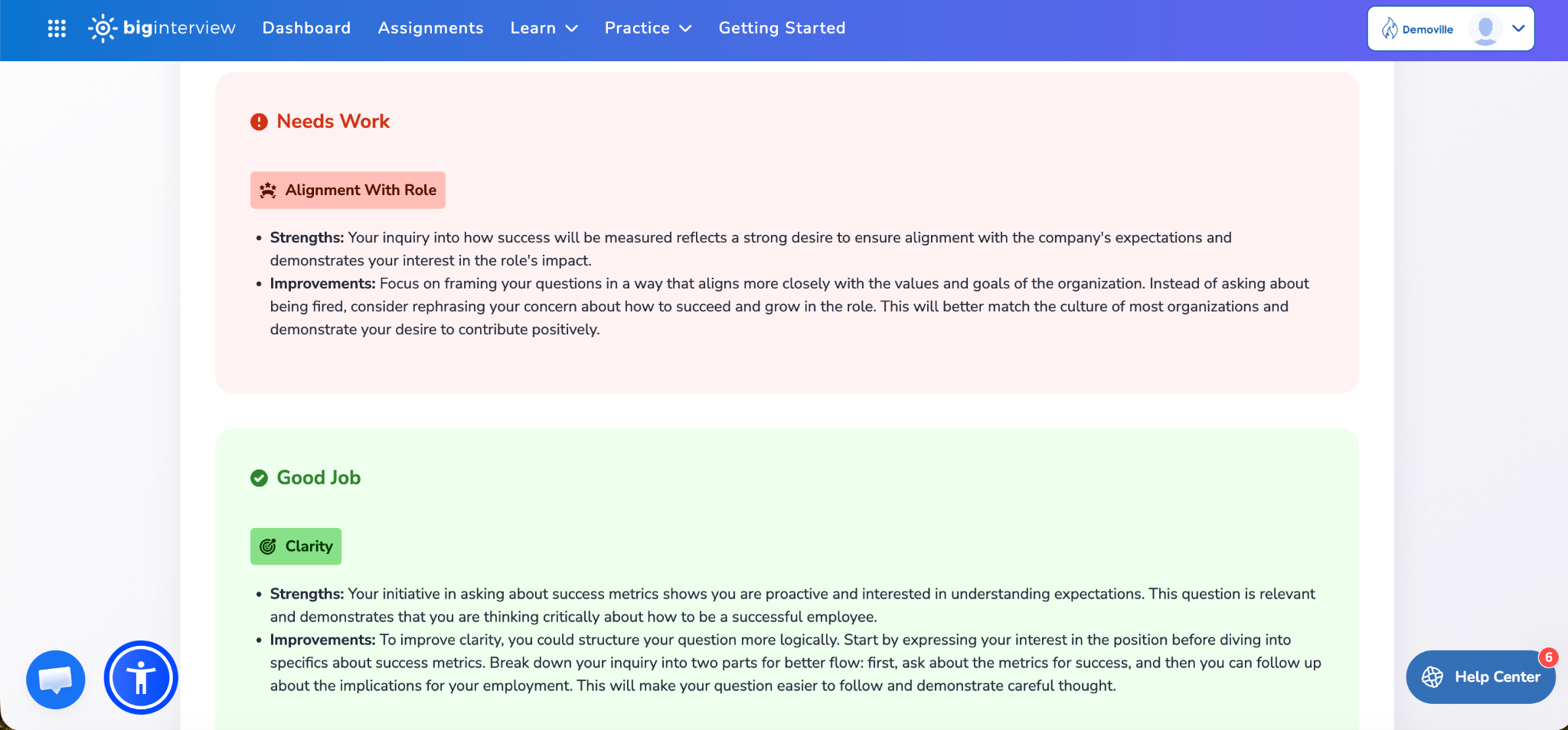
- PracticeAI, or Interview Simulator, where they practice thinking on the spot and adjusting to the pressure of real-life job interviews. PracticeAI asks dynamic questions based on students’ resumes and job ad they’re applying for, so no two sessions are the same. Here, they get feedback on the content and substance of their answers ( how clear, confident, and role-aligned their answers are).
For career services teams, the institutional side is what makes it genuinely useful. You can assign specific practice sets to cohorts, track completion and progress across students and Big Interview features, and identify who's falling behind without scheduling individual check-ins for everyone.
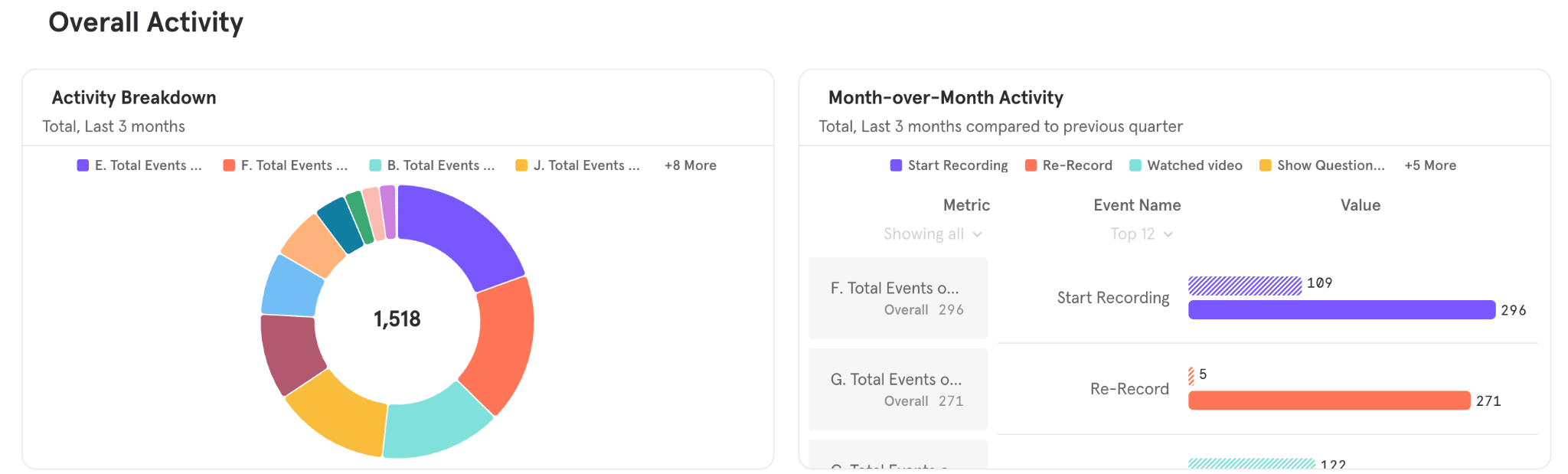
That’s a meaningful difference when you’re running multiple cohorts simultaneously.
Best for: Programs that need scalable behavioral prep without building their own curriculum from scratch.
Pros:
- Covers the full non-technical interview loop — behavioral questions, communication coaching, professional presence
- Two distinct practice modes target different skills: delivery and content
- 8 ready-made curricula means career services teams aren’t building materials from scratch
- Institutional dashboard gives real visibility into student progress across cohorts
- Structured enough to assign, flexible enough to let students self-pace
- AI feedback is grounded in real coaching methodology — the system was trained by Pamela Skillings, a career coach with decades of experience, which gives it more substance than a generic algorithm
Cons:
- Doesn’t replace technical prep tools — you’ll still need something like LeetCode for coding challenges (more on that below)
Pramp
Pramp pairs students with peers for live, two-way mock interviews — both technical and behavioral.
Once user signs up, they will have to complete a short form asking about the role they’re targeting, company they’re applying to (optional), as well as what they need help with.
When scheduling an interview, they have the option to choose interview type:
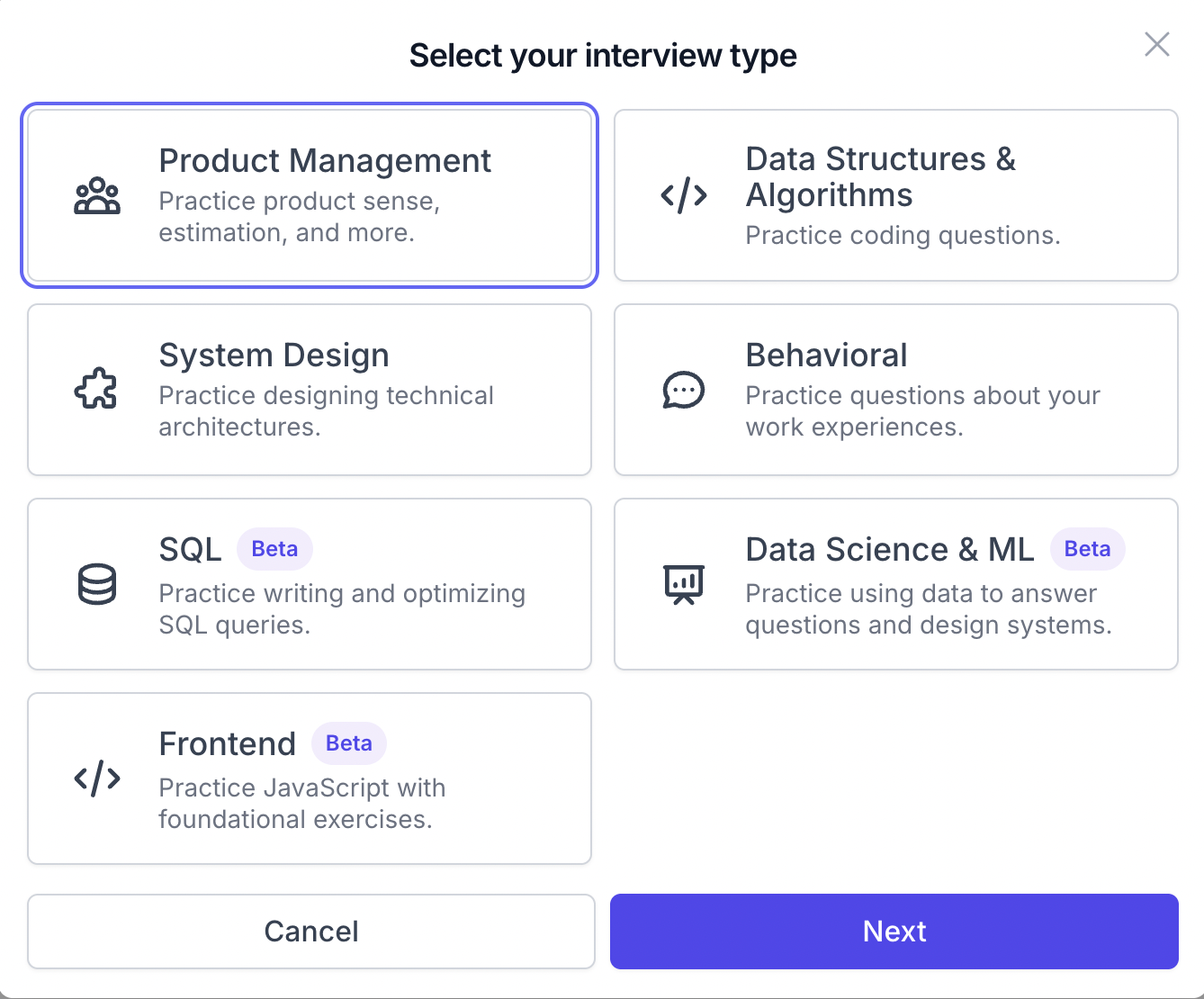
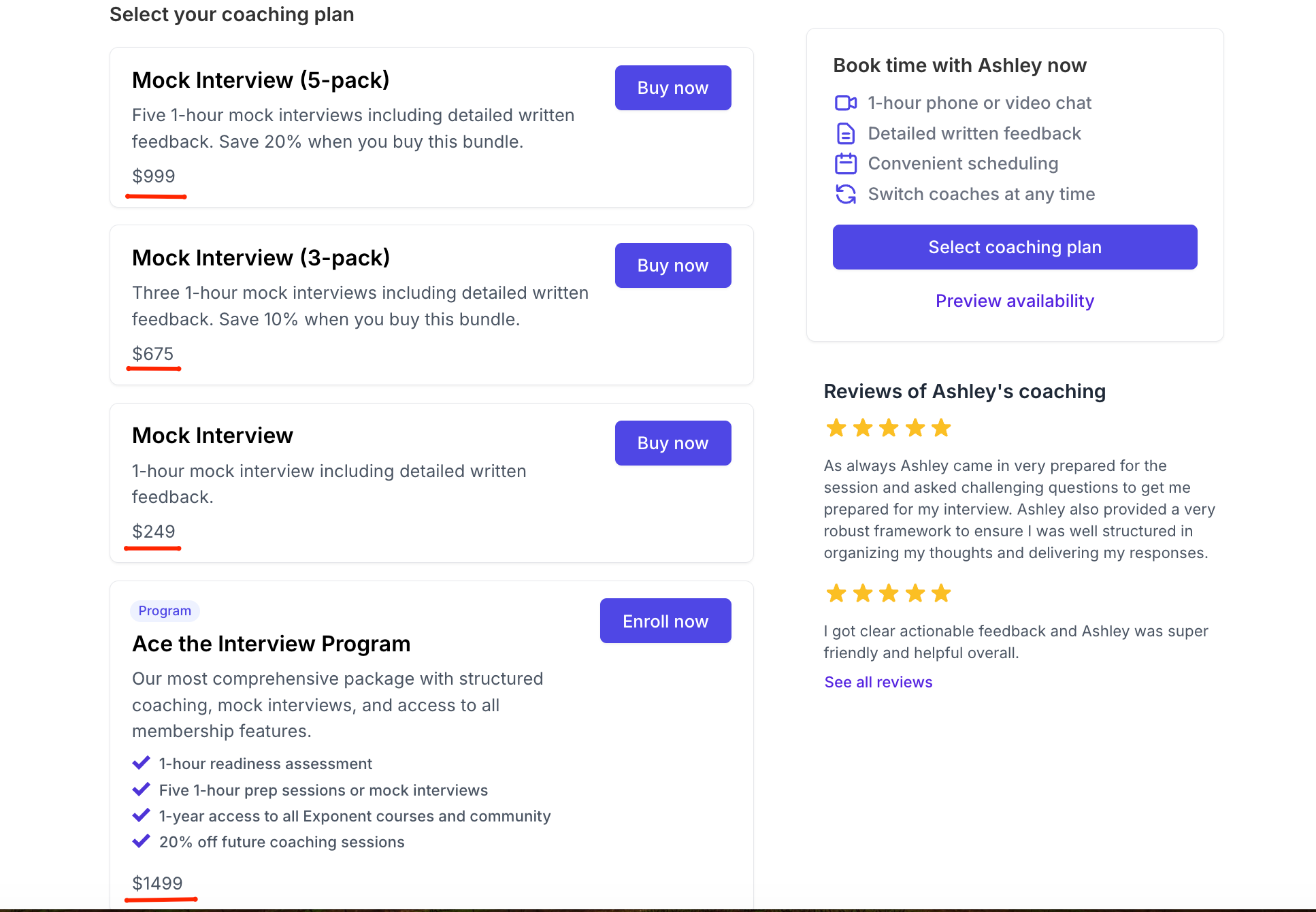
From there, they’ll get the chance to schedule a free peer-to-peer interview, invite a friend to practice with them, or get an interview with an expert coach with FAANG+ experience, though the last option comes at a significant cost, with packages ranging from $250 for a single session to $999 for five.
For career-switchers and early-stage learners without a tech salary yet, that’s a hard sell.
In peer-to-peer interviews specifically, each participant takes turns playing interviewer and interviewee, which helps students learn to ask good questions and sharpens how they think about their own answers.
For a student who wants to simulate the real back-and-forth of a live interview without paying for anything, it’s a reasonable option.
The catch is consistency.
You have no control over who you’re matched with — some peers give sharp, structured feedback, others are as lost as the person they’re interviewing. There’s no way for career services teams to assign it, track usage, or verify that students are actually showing up and practicing.
Best for: Self-motivated students who want live human practice and are comfortable with an uneven experience.
Pros:
- The basic peer-to-peer interview is free and easy to access
- Live, two-way format is closer to a real interview than solo practice tools
- Covers both technical and behavioral questions
- Playing the interviewer role builds self-awareness about answer quality
Cons:
- Feedback quality depends entirely on who you’re matched with — no consistency guarantee
- No institutional dashboard, tracking, or assignment tools for career services teams
- Not reliable enough to be a program-wide recommendation on its own
- Expert coaching packages are expensive, especially for beginners and career changers
LeetCode
LeetCode is the default recommendation for algorithm and data structure prep, and for good reason. If a student is going to face a technical screen, and they will, this is where they should be spending time.
The platform hosts thousands of coding challenges organized by topic (arrays, trees, dynamic programming, graphs) and difficulty (easy, medium, hard).
Students can filter by company, so if someone is targeting a specific employer, they can practice the exact problem types that company is known for using in screenings. There’s also a built-in discussion community where people share multiple solutions and explain the reasoning behind them — which is often more useful than the official solution alone.
LeetCode Premium unlocks additional features: company-specific question sets, frequency data showing which problems appear most in real interviews, and a mock interview mode that simulates timed technical screens.
The individual student dashboard shows contest rating, problems solved broken down by difficulty (easy/medium/hard), acceptance rate, global ranking, badges, and a GitHub-style activity heatmap of submissions over the past year.
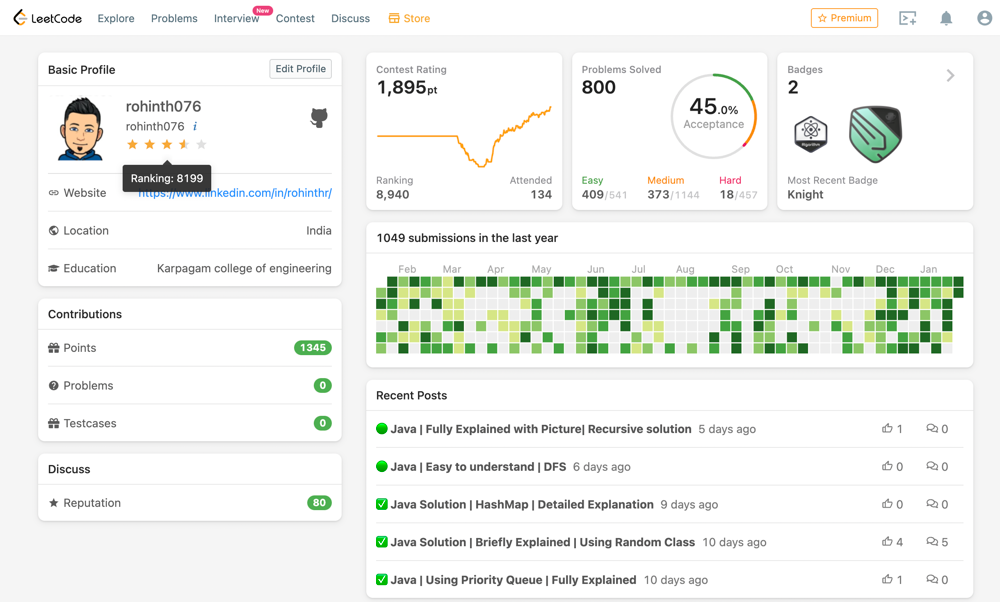
Source: LeetCode Discuss
It’s a solid personal dashboard — tracking problems solved by difficulty, acceptance rate, global ranking, and a submission heatmap that shows consistency over time.
For a self-directed learner, it’s useful.
For career services programs/academies/bootcamps teams trying to monitor a cohort of 80 students at once, it’s invisible.
There’s no cohort view, no admin access, no way to see who’s actually putting in the hours without asking them directly.
All in all, LeetCode does exactly one thing and does it well.
But that thing is not behavioral prep, communication coaching, or anything resembling the soft-skill side of an interview.
Best for: Technical screen preparation.
Pros:
- Industry standard for coding challenge practice — most engineers and hiring managers assume candidates have used it
- Massive question bank, well-organized by topic, difficulty, and company
- Active community with multiple solution approaches and explanations for most problems
- Premium tier includes company-specific question sets and frequency data, useful for targeted prep
- Mock interview mode simulates timed technical screens
Cons:
- Zero behavioral or communication component. It won’t help a student answer a single non-technical question
- Can create a false sense of readiness — students who grind LeetCode sometimes assume that’s all interview prep means
- Free tier is limited; meaningful features are locked behind Premium
- No institutional tools — career services teams can’t assign, track, or monitor student activity
HackerRank
⚠️ HackerRank is primarily an employer-facing assessment tool — companies use it to screen candidates at scale. It’s included here because bootcamp students will encounter it in hiring pipelines, and because it’s added some genuinely useful prep features worth knowing about.
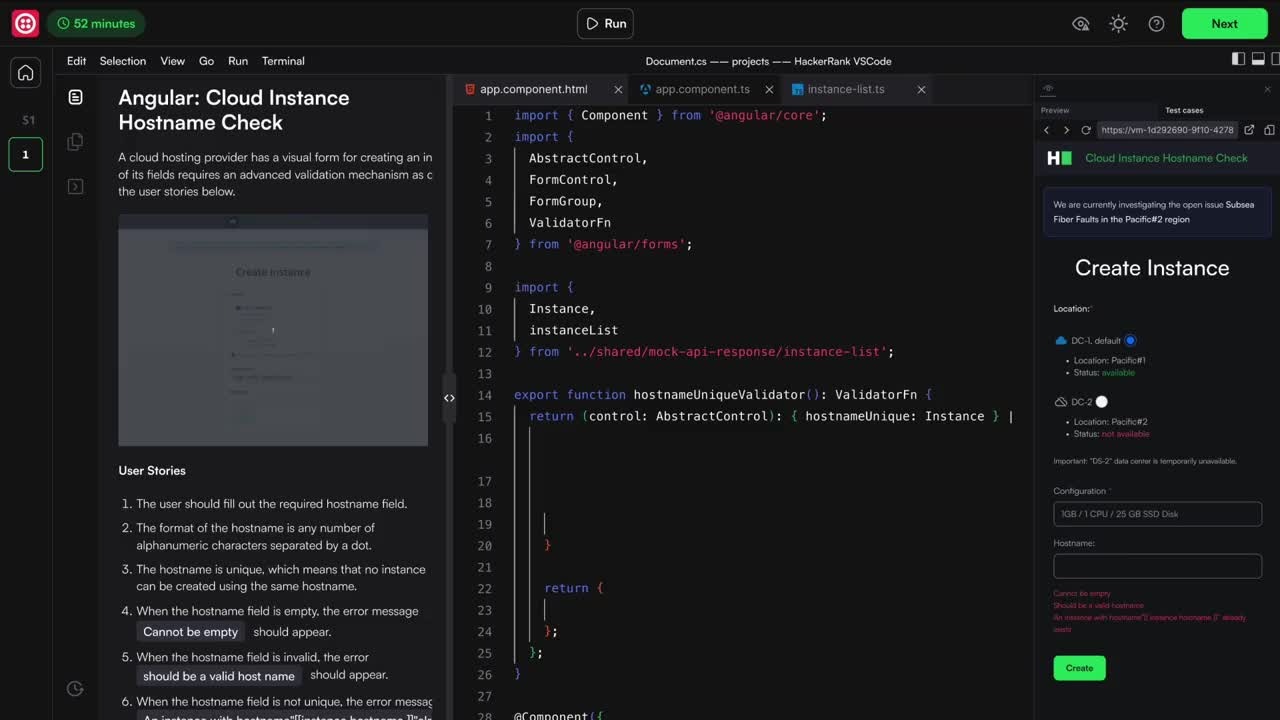
HackerRank is one of the most widely used technical screening platforms on the employer side.
Companies send standardized coding assessments to candidates early in the hiring process, often before a human looks at a resume. Familiarity with the interface alone is valuable — the browser-based editor is different enough from a local dev environment that first-timers can lose time just getting comfortable with the setup.
Beyond format familiarity, HackerRank has built out an AI mock interview suite that covers more ground than you’d expect from an employer tool:
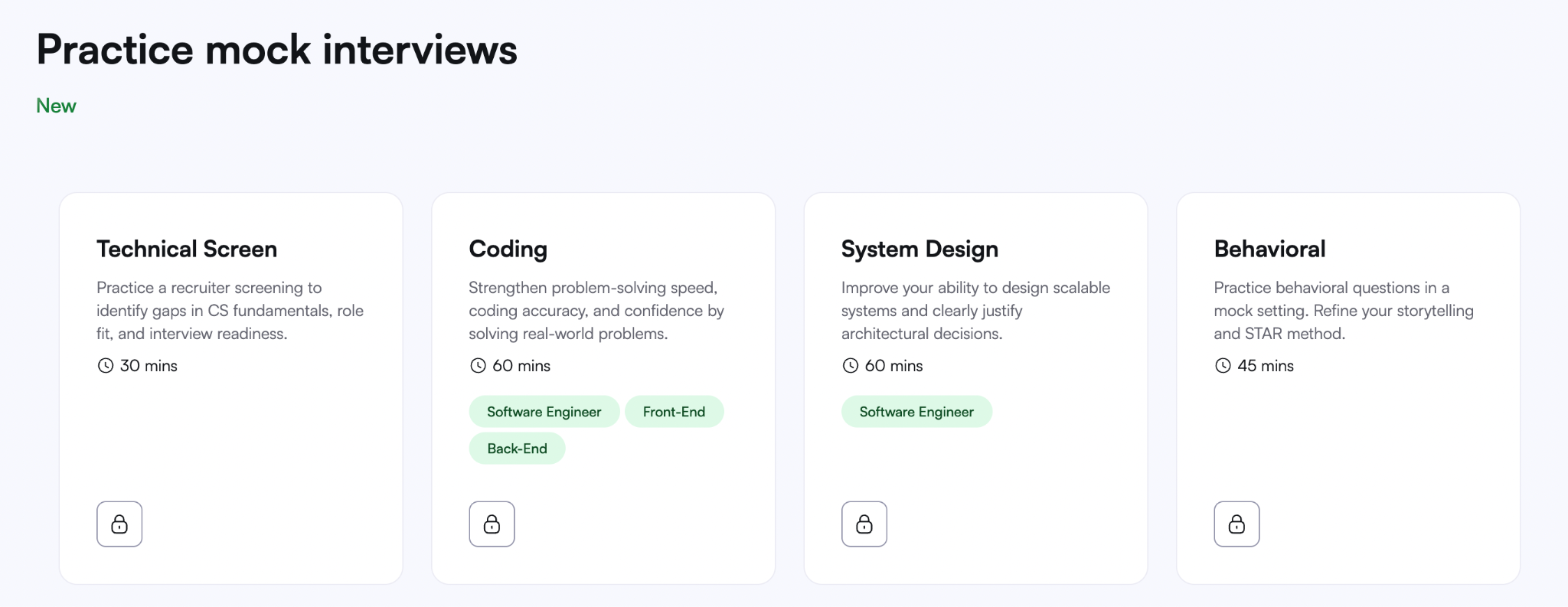
Students can practice four distinct interview types: a 30-minute Technical Screen, a 60-minute Coding session, a 60-minute System Design round, and a 45-minute Behavioral interview focused on storytelling and the STAR method.
Each session is AI-driven, timed, and delivers feedback on approach, code quality, and communication.
That behavioral module is worth noting specifically — it’s more than most technical platforms bother to include.
For career services teams, the institutional picture is murkier.
HackerRank’s business model is built around employers, not training programs, and its pricing reflects that.
There’s no cohort dashboard designed for career services use, and integrating it meaningfully into a bootcamp curriculum requires working around a tool that wasn’t designed for that purpose.
Best for: Getting students comfortable with a format they’ll encounter in real hiring pipelines, with some added value from the AI mock interview suite.
Pros:
- Widely used by employers — practicing on the same platform reduces friction on assessment day
- AI mock interview suite covers all four interview types including behavioral
- Behavioral module specifically addresses storytelling and STAR method
- Instant feedback on approach, code, and communication after each session
- Free to access for individual students at a basic level
Cons:
- Employer-facing tool by design — the student prep layer is an addition, not the core product
- No institutional dashboard or cohort tracking tools built for career services teams
- Behavioral module exists but isn’t deep enough to carry the full weight of communication prep on its own
- Institutional pricing is structured around employer hiring volume, not student training programs
Interviewing.io
⚠️ Realistically, Interviewing.io isn’t accessible to most bootcamp students. Access is limited, it’s geared toward experienced engineers, and there’s no institutional or cohort functionality. It’s here for completeness, but it’s not a practical recommendation for most programs.
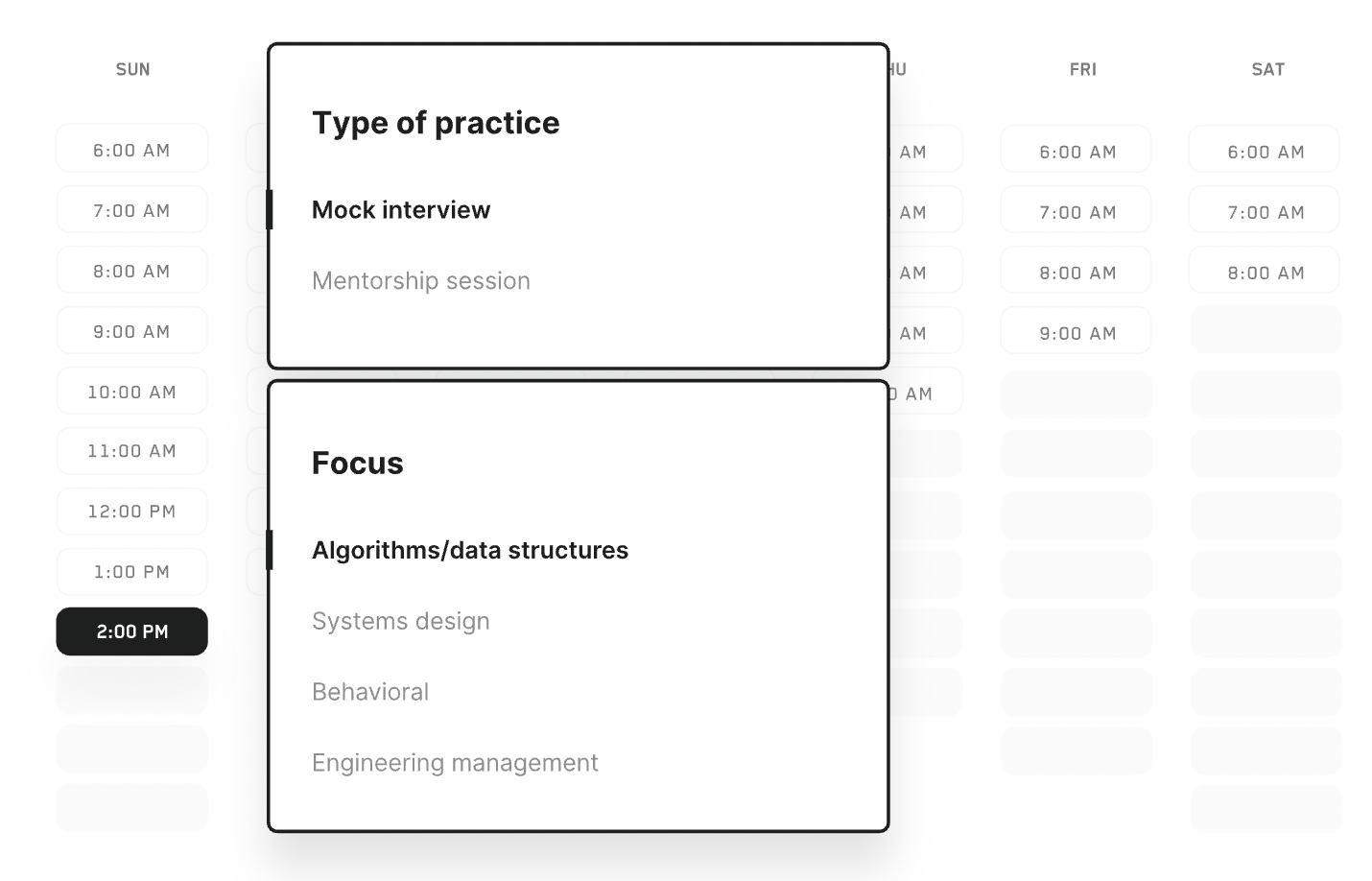
Interviewing.io offers anonymous mock technical interviews with engineers from top-tier companies like Google, Meta, Amazon, and similar.
The anonymity is a genuine feature: both interviewer and interviewee stay anonymous until after the session, which removes bias and lets candidates focus purely on performance. Feedback comes from people who actually conduct real interviews at these companies, which makes it qualitatively different from peer-to-peer platforms like Pramp.
The simulation is about as close to a real FAANG technical interview as you can get without being in one — live sessions, shared coding environment, real engineers asking questions their company actually uses.
For bootcamp programs, the practical problems stack up quickly.
There’s no institutional layer whatsoever — no cohort onboarding, no dashboard, no way to assign sessions or track who's using it. The platform is built entirely around individual engineers, not training programs.
And the target user is an experienced engineer preparing for a senior-level role — not a career-switcher six months into their coding journey.
Best for: Advanced individual students targeting top-tier companies — not a program-wide recommendation.
Pros:
- Highest-quality technical interview simulation available
- Live sessions with engineers who actually conduct these interviews professionally
- Anonymity reduces bias and creates a realistic, low-pressure environment
Cons:
- No institutional tools — no cohort onboarding, no dashboard, no tracking or assignment functionality
- Built for experienced engineers, not early-career or career-switching candidates
- Geographic restriction limits access for programs with international students
- Purely technical — no behavioral or communication component
CodeSignal
CodeSignal sits in an interesting position on this list — it’s less of a prep tool and more of a credential.
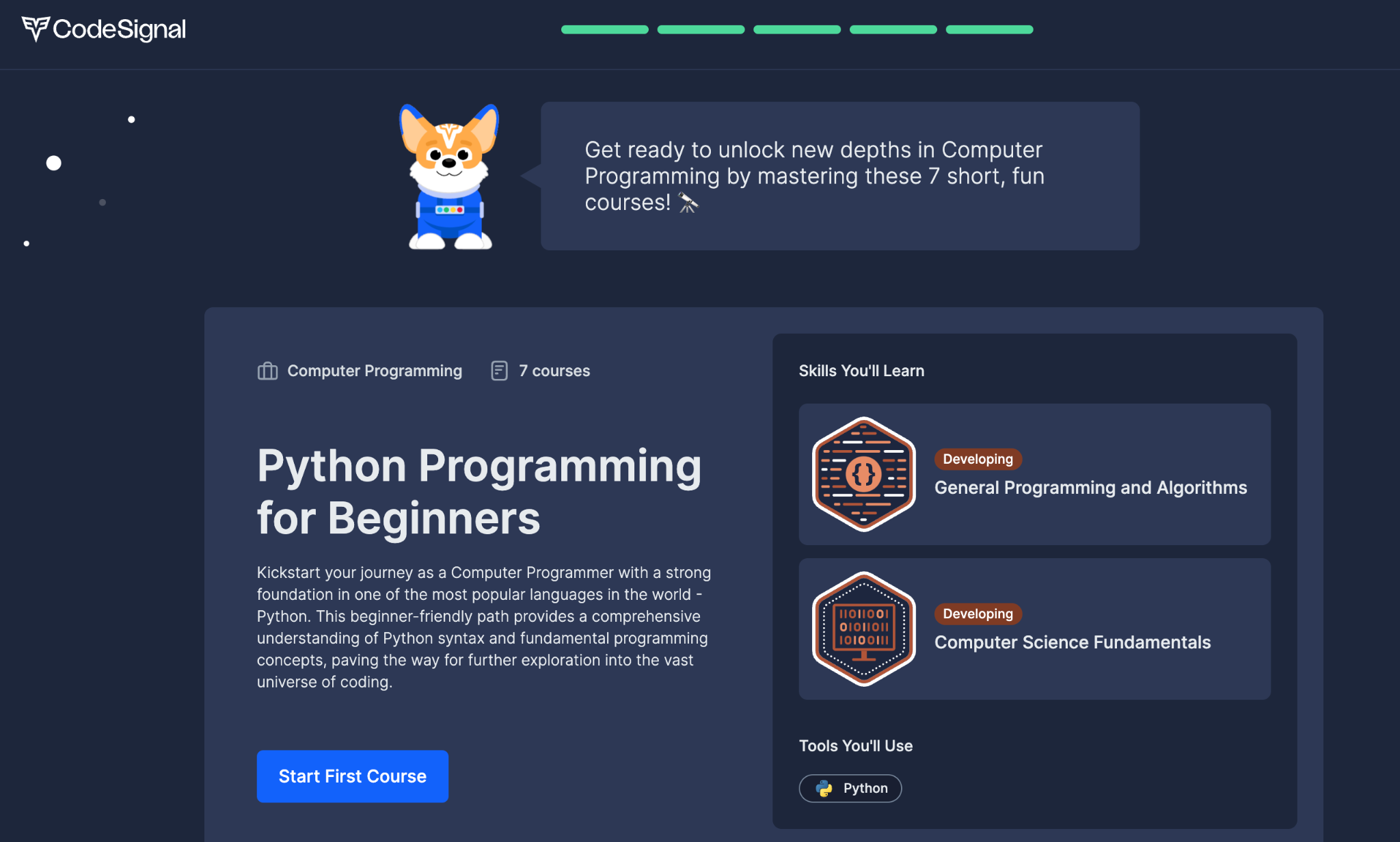
The platform generates a standardized coding score (called the Coding Score) that employers can request directly, and a growing number of companies are starting to accept it in place of their own technical screens.
For a bootcamp grad trying to reduce friction in the hiring process, that’s a meaningful shortcut if their target employers are on board.
The assessment itself covers general programming skills — data structures, algorithms, problem-solving — in a timed, proctored environment. It’s designed to be objective and consistent, which is exactly why employers trust it.
A student with a strong CodeSignal score can essentially skip the first-round technical screen at participating companies, which is a real competitive advantage.
Some bootcamps use it internally to benchmark where students stand before they start applying, which is a legitimate use case. It gives career services teams a standardized data point rather than relying on subjective assessments of who’s “job ready.”
The limitation is that it’s almost entirely assessment-oriented. There’s no guided curriculum to help students improve, no feedback explaining what went wrong on a problem, and no behavioral component.
A student can take the assessment, get a score, and have very little idea what to actually work on next. It measures readiness — it doesn’t build it.
Best for: Programs that want a standardized benchmark for technical readiness, or students targeting employers who specifically accept CodeSignal scores.
Pros:
- Standardized score is increasingly recognized by employers, potentially replacing early-round technical screens
- Objective and consistent — gives career services teams a reliable readiness benchmark across cohorts
- Proctored format mirrors real assessment conditions students will face in hiring pipelines
- Can reduce hiring friction for students at companies that accept the score directly
Cons:
- Assessment tool first, prep tool never — there's no curriculum, no learning path, no guided improvement
- Minimal feedback on performance — students know their score but not necessarily how to move it
- No behavioral or communication component
- Limited employer adoption — only valuable if target companies actually accept the score
- No meaningful institutional tools for tracking or managing cohort-wide prep
Building Your Interview Prep Stack
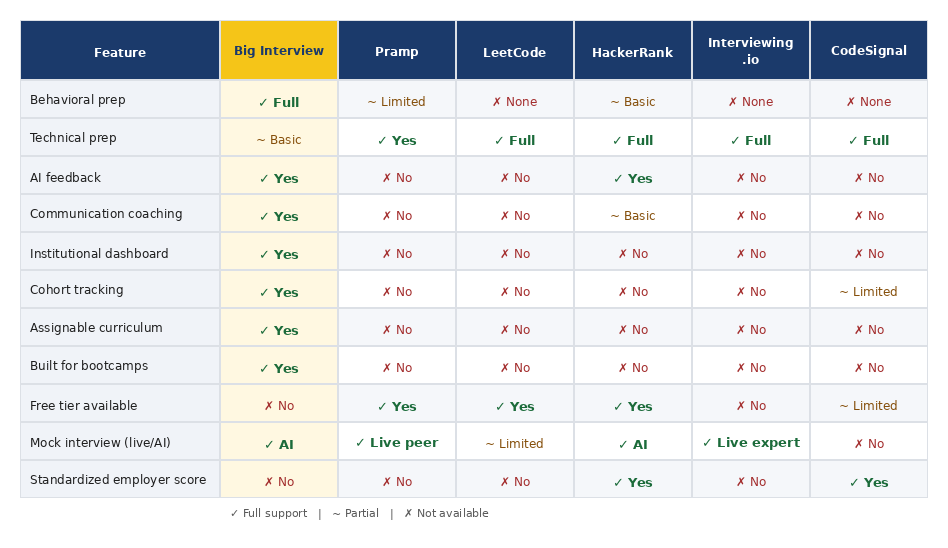
** “Standardized employer score” means the platform generates a standardized assessment score that employers can request directly and use in their hiring process — skipping their own internal technical screen. CodeSignal’s “Coding Score” and HackerRank’s certifications are examples.
No single tool covers everything, and you shouldn’t expect one to. The technical side and the behavioral side require different practice environments.
A practical starting point for most programs:
For technical prep: LeetCode for algorithm practice, HackerRank for format familiarity, CodeSignal if you want a standardized benchmark.
For behavioral and communication prep: Big Interview. It’s the only tool on this list built for that side of the interview at an institutional scale — with the curriculum, tracking, and cohort tools that make it actually manageable for a small career services team.
Pramp and Interviewing.io are worth knowing about, but treat them as supplements for self-motivated students rather than program-wide recommendations.
The goal isn’t to hand students a list of links. It’s to build a prep workflow your team can actually run — one that gets students ready for the full interview loop, not just the part that’s easiest to measure.