Your career coaches are good at their jobs. The problem is that there aren’t enough hours in the week.
If your program serves hundreds or thousands of job seekers, you already know the math doesn’t work. A team of 15 coaches cannot deliver meaningful resume feedback and mock interview practice to 2,000 participants on a rolling basis. Something gets cut, something gets rushed, and usually it’s those students who need the most help that fall through the cracks.
Interviewstream has been a fixture in workforce development for years, but it was built around a model that assumes human graders are available to review recorded interviews.
For programs running at scale, that’s not a feature but a roadblock. Waiting days for coach feedback breaks the practice loop that actually builds interview confidence.
And when students don’t hear back quickly, they stop engaging.
The good news: the market has moved.
There are tools built specifically to deliver instant AI feedback on interviews and resumes, track assignment completion across large cohorts, and integrate with the systems your team already runs, like Canvas, Apricot, and CaseWorthy. Some are purpose-built for education and workforce development.
Others are general-use simulators that look useful until you try to run a structured curriculum through them.
This guide breaks down top InterviewStream alternatives worth evaluating if your nonprofit needs to scale career readiness without scaling headcount. We looked at AI feedback quality, curriculum structure, LMS integration, reporting for funder compliance, and total fit for programs serving high-volume, under-resourced cohorts.
First, a quick look at interviewstream itself.
Interviewstream
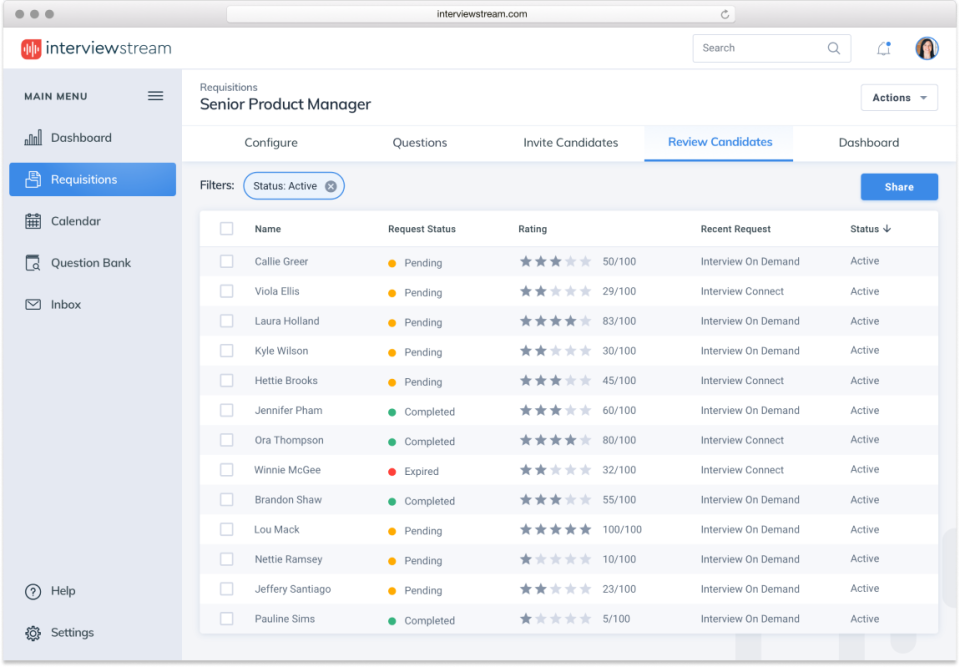
Interviewstream is a video interviewing and hiring platform built primarily for recruiters and HR teams.
It has on-demand video interviews, live video interviewing, interview scheduling, and AI-powered tools like automated interview summaries and a recruiting assistant.
The platform has been around for over two decades and is used across K-12 education, healthcare, and government sectors, but its core use case is employer-side hiring, not candidate-side preparation.
Pros
- SOC 2 Type 2 certified and GDPR compliant, with SSO support, which is a solid security feature in terms of data privacy.
- Has an open API, and integrates natively with ATS platforms like Bullhorn, iCIMS, SAP SuccessFactors, and Frontline Education.
- 24/7 phone support, a practical benefit for programs with limited technical staff who need quick resolution when something breaks.
- Has AI-generated interview summaries that can make manual reviews faster.
Cons
- Designed primarily for employer hiring workflows. Some career centers and workforce investment boards use it for student mock interview practice. But the model is record-and-review: participants record a response, and a coach watches and grades it manually. There’s no AI feedback loop, no curriculum structure, and no way for students to self-practice and improve between sessions, which is exactly the bottleneck high-volume programs are trying to eliminate.
- Lacks real-time analytics and has limited skill assessment tools, which makes it difficult for program managers to track readiness across large cohorts. You can see who completed a recording, but you can’t measure how well they answered or flag who needs intervention before a placement deadline.
- Some users report it can be overpriced relative to its feature set, especially compared to tools with broader functionality. That’s a significant consideration for grant-funded programs working within fixed budgets.
- No resume feedback capability and no LMS integration for Canvas or Moodle.
Pricing
No free plan or trial is available. Organizations need to contact the sales team to get a quote.
Big Interview
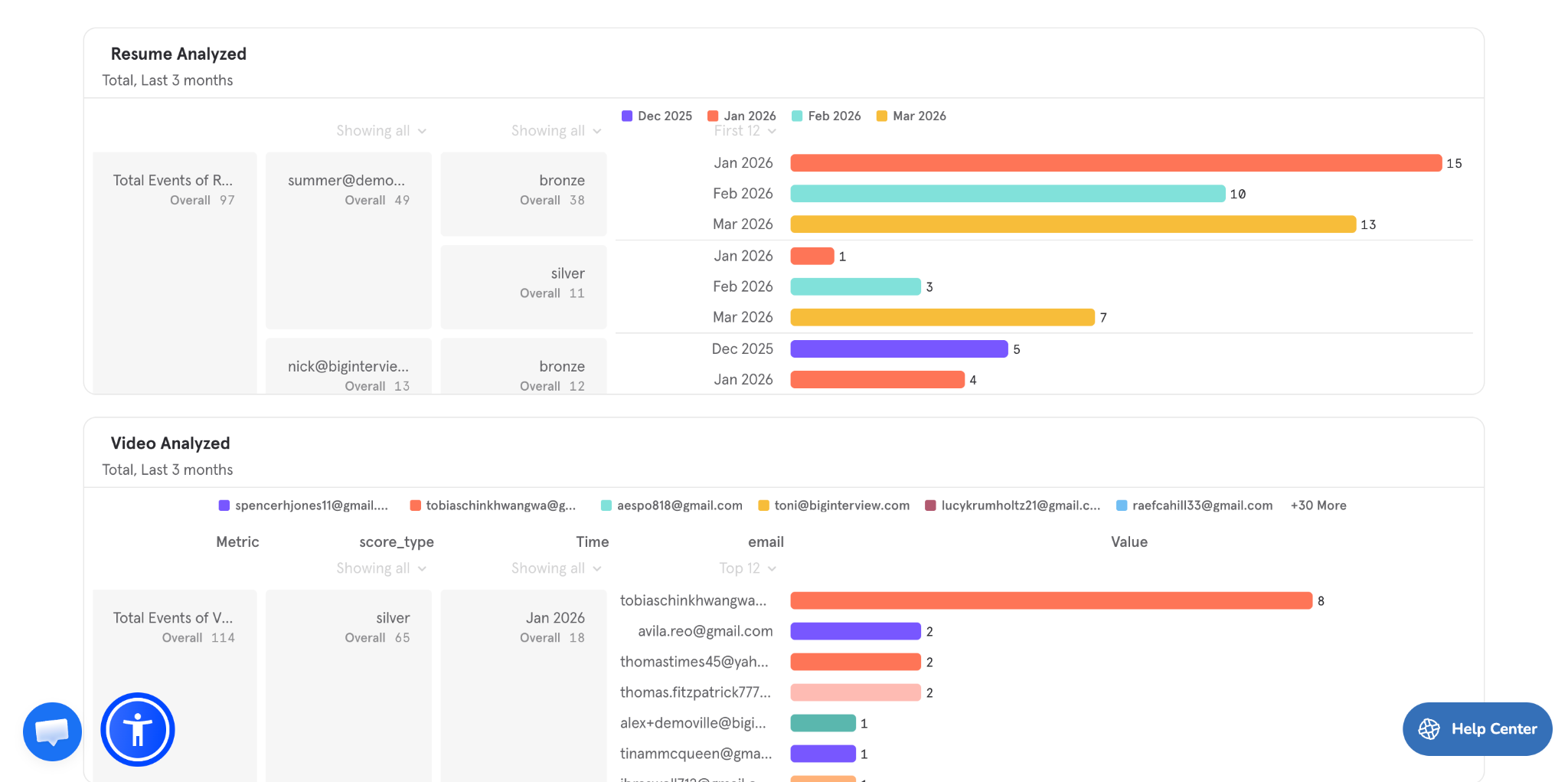
Big Interview is a comprehensive job search platform made for both individuals and organizations, including workforce development programs and nonprofits. It combines AI-based interview practice with structured training on resumes and cover letters, making it a more complete solution for participant readiness, not just interview delivery.
Beyond mock interviews, the platform includes guided resume and cover letter builders, role-specific training tracks, and curriculum-style learning paths. This makes it a great choice for programs that need to support participants across the entire job search journey. It’s commonly used in workforce development settings where consistency, scalability, and measurable outcomes are typical KPIs.


Pros
- Comes with a full job application suite and deep, specialized AI integration: interview practice, resume and cover letter builder, so you can track and grade participants in a single, unified system.
- Built with structured learning in mind, including pre-set curricula and role-based pathways that can be assigned across cohorts.
- Designed for workforce development use cases, with features that support large participant groups and standardized training.
- Integrates with LMS platforms like Bonterra Apricot and CaseWorthy, which makes it easier to embed into existing learning environments and track learner progress centrally.
- Provides reporting and analytics that help programs monitor engagement, completion, and performance across cohorts.
Cons
- Less specialized in real-time speech and delivery coaching compared to tools focused purely on communication (like Yoodli).
- Customization of content and evaluation requires higher-tier plans or coordination with their team. Still a big plus: non-profits get the entire resume and video-prep AI suite at no extra cost.
- Big Interview is a powerful platform, so the UI can feel a bit more complex at first compared to lightweight, standalone tools.
Pricing
Pricing is customized for organizations based on size, use case, and feature needs. Workforce development programs and nonprofits can request tailored plans, and POCs and demos are usually available through their sales team.
Yoodli
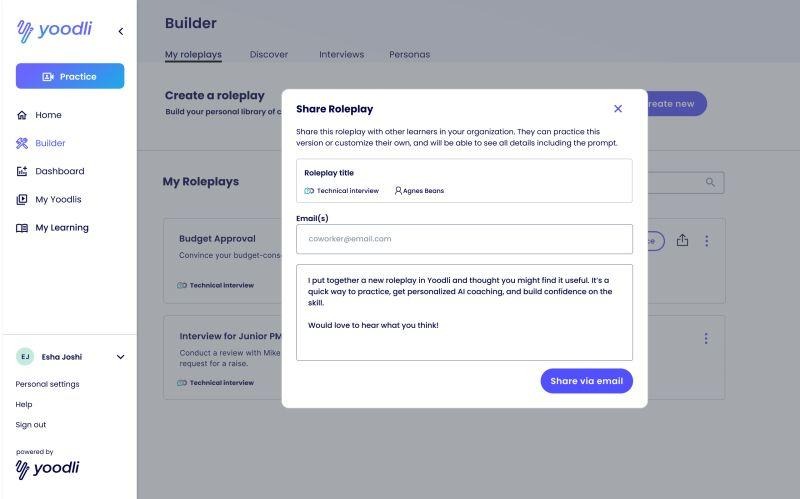
Yoodli is an AI-powered speech coaching tool that helps users practice communication and interview delivery through simulated conversations. It tracks delivery like pacing, filler words, eye contact, vocal tone, and gives real-time feedback during practice sessions.
It’s also positioned for use cases beyond interview prep, including sales training, onboarding, and leadership development.
Pros
- SOC 2 Type 2 certified and GDPR compliant, which matters for proper handling of participant data. User data is not used for AI training.
- Offers an NGO/academia discount plan, so nonprofits can contact their team directly for adjusted pricing.
- Free tier available, which gives small programs a low-risk starting point.
Cons
- Yoodli is essentially a speech delivery coach built for sales reps, not a workforce development platform. LMS integration exists, but requires technical setup. Yoodli supports SCORM and LTI 1.3, so it can technically embed into Canvas and other LMS platforms with completion and score reporting. However, this isn’t a plug-and-play experience: setup requires configuration on both sides and is primarily designed for enterprise L&D teams, not lean nonprofit ops staff.
- No native integration with the case management systems programs rely on for funder reporting, like Apricot, CaseWorthy, or Salesforce PMM. This means you need to export and match delivery data manually.
- Limited integration options with third-party software, so tracking completion across large cohorts requires manual workarounds.
- Content feedback exists but is limited in depth and customization. Yoodli tracks delivery metrics like pacing, filler words, and eye contact, and can flag whether you covered general talking points for a given role. But it can’t score answers against a program’s own rubric, employer partner expectations, or a specific competency framework. For workforce development programs that need standardized, repeatable assessment across hundreds of participants, generic role-based feedback isn’t enough.
- No resume review functionality, which is often the heaviest workload for workforce development coaches.
Pricing
Individual plans range from free to $8 a month. Team and enterprise pricing starts at $25 per user per month and requires talking to sales. A dedicated NGO/academia plan is available upon request.
Hirevue
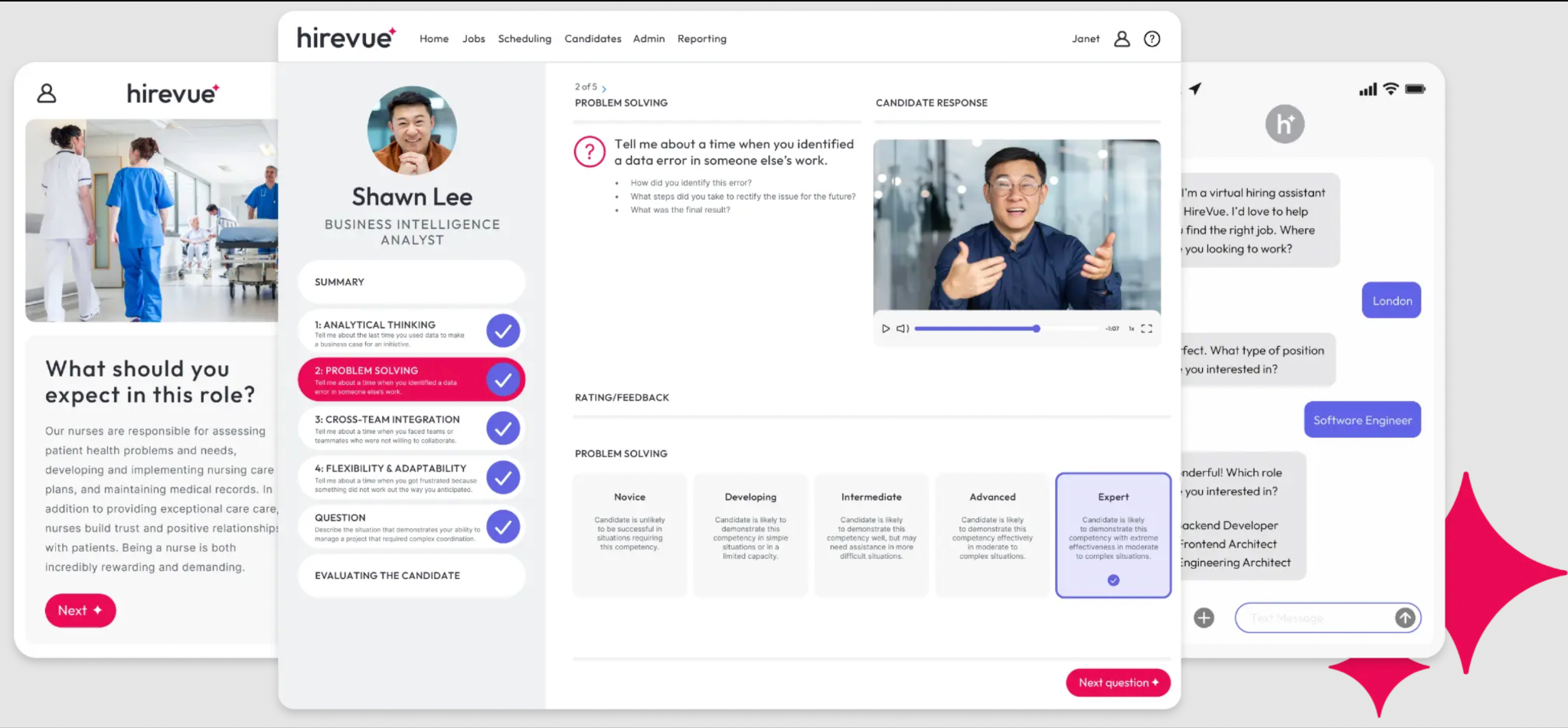
Hirevue is an enterprise-grade AI hiring platform used by large employers (Fortune 500 companies, government agencies, banks) to screen candidates at scale through on-demand video interviews, AI assessments, and automated interview scheduling.
It integrates with ATS systems and is the only FedRAMP-authorized hiring platform for the public sector. Many of the employers your participants will interview use Hirevue, so familiarity with the format matters. But Hirevue is not a candidate prep tool and it’s not the best fit if you want to use it for participant training.
Pros
- SOC 2 Type 2 certified and GDPR compliant, with an annual independent audit covering security, availability, processing integrity, confidentiality, and privacy, among the strongest compliance postures of any tool in this category.
- Integrates with a broad range of ATS platforms and scheduling tools, which is useful for employer partners your program works with
- Because Hirevue is used widely by major employers across finance, healthcare, and government, exposing participants to the format in practice can reduce the anxiety of encountering it in a real hiring process.
Cons
- Not designed for candidate prep at all. Hirevue is a screening tool for employers, not a training platform for job seekers. There’s no self-practice mode, no AI coaching loop, no curriculum structure, and no assignment tracking. Using it to prepare participants for interviews would require building an entire workaround.
- Pricing starts at $35,000 per year, with implementation costs reported at an additional $5,000–$25,000. Average annual spend across customers is around $50,000. This is enterprise software priced for enterprise budgets, almost no nonprofit workforce development program will qualify, and there is no NGO discount or nonprofit tier.
- The AI bias track record warrants caution for programs serving minority and neurodiverse populations. A federal complaint was filed in 2019 alleging the platform favored certain facial expressions, speaking styles, and vocal tones, disproportionately disadvantaging minority candidates. Hirevue has since removed facial analysis and made changes to its models, but a 2025 ACLU complaint alleged the tool discriminated against a deaf and Indigenous employee during a promotion process. For programs serving communities already facing structural barriers to employment, this history is relevant context.
- No resume feedback capability, no LMS integration for Canvas or Moodle, and no funder reporting exports.
Pricing
Pricing is firmly enterprise, starting at $35,000 annually for the Essentials package. All plans are custom-quoted. No free trial or nonprofit pricing is publicly available. The AI bias history is real and well-documented, and relevant to nonprofit audiences serving minority and neurodiverse populations.
TestGorilla
TestGorilla is a skills assessment platform that employers use to screen candidates before interviews. It comes with a library of 350+ tests covering cognitive ability, situational judgment, role-specific skills, software proficiency, language, personality, and culture fit, along with one-way video interviews and AI-scored responses.

Pros
- SOC 2 Type 2 certified, GDPR-compliant, with encryption and strict data protection protocols — solid compliance posture for organizations handling candidate data
- Paid plans use a credit-based model, making it more accessible than enterprise-only tools like HireVue.
- Integrates natively with ATS platforms, including Workable, Greenhouse, Lever, SmartRecruiters, Bullhorn, and JazzHR (useful if your employer partners use these systems).
- The broad test library includes cognitive, behavioral, and role-specific assessments, so participants can familiarize themselves with the format before encountering it in a real hiring process.
Cons
- TestGorilla is a screening tool for employers, not a coaching platform or training tool for job seekers. There is no self-practice mode, no behavioral interview coaching, no AI feedback loop, and no resume review. A nonprofit can’t use it to prepare participants for interviews in a meaningful way.
- Video interview responses are auto-scored by AI, but the scoring is opaque — candidates receive no feedback, coaching, or guidance on how to improve their answers. For workforce development programs trying to build participant readiness, a tool that scores without teaching is of limited value.
- No LMS integration for Canvas or Moodle, no curriculum structure, and no funder reporting exports compatible with Apricot, CaseWorthy, or Salesforce PMM.
- Some users report that ongoing credits and additional assessments can become costly at scale, which can be a concern for programs managing tight grant budgets across large cohorts.
Pricing
Paid plans use a credit-based model starting from 400 credits, with Core and Business tiers available. Paid plans start at approximately $111/month for Starter and $169/month for Pro.
Summary: Which Tool Makes Most Sense
If your goal is simply to simulate interviews, there are plenty of tools on this list that can get the job done. But if you’re running a workforce development program, that’s not the only problem you’re trying to solve.
You need something that makes learning structured, scales feedback, and reduces the manual workload on your team without breaking your budget.
Big Interview is the most complete and practical option for this specific use case because it combines interview practice with resume and cover letter support and integrates with your LMS environment.