How to Make a Resume Stand Out: 7 Tips to Get More Interviews
For your resume to truly stand out, you need to know one thing. Your resume will be read twice: first by software, then by a human, and it has to satisfy both.
Don’t try to be unique by using colorful templates, unusual fonts, and complex graphics. The resumes that consistently earn interviews don’t look dramatically different. They stand out because they’re more relevant, more specific, and make it easy for the hiring team to picture you in the role.
This guide breaks down how to make a resume stand out:
- Customize your resume for a specific job in about ten minutes
- Mirror the employer’s wording so recruiters and the ATS read you as a match
- Write bullets that land the interview
What “Standing Out” Actually Means
Job seekers tend to think standing out means being unique. Recruiters see it differently. A designed template with clever fonts may signal effort to you, but it doesn’t convince someone reviewing dozens (if not hundreds) of applications that you can actually do the work.
Here’s a useful way to think about it.
A resume that stands out to recruiters answers three questions fast:
- Can this person do this job?
- Have they produced results before?
- Can I picture them succeeding here?
Everything in this guide will help you get a “yes” to those three questions.
How to Customize Your Resume for Every Job
If you only change one thing about your job search, make it this: never send your default resume without tweaking it first.
Even if you’re applying for similar roles, every employer is looking for a slightly different mix of skills and experience.
To customize your resume usually doesn’t mean you have to rewrite everything from scratch, but you need to lead with the experience that’s most relevant to this particular role. In practice, this means:
- Adjust your professional summary
- Reprioritize your skills in the skills section
- Reorder your bullet points
- Incorporate keywords from the job description where they naturally fit
These edits usually take 10 to 20 minutes but can be the difference between blending in with hundreds of generic applications and immediately looking like a strong match.
Say you’re applying for two customer service roles.
Collateral materials:
- Folder
- Email signatures
- Business cards (please share the info with us)
- Retractable roll-up banner - We'll create the template in Canva. Please share the info that needs to go on the banner and also the size from your printing provider.
Job 1 — Customer Support Specialist: Phone support, ticket resolution, CRM software, handling customer complaints. Your top bullets should highlight resolving high volumes of customer tickets, maintaining strong customer satisfaction scores, using CRM systems like Salesforce or Zendesk, and de-escalating difficult situations.
Summary: Support specialist focused on fast, accurate troubleshooting.
Top skills: Zendesk, troubleshooting, technical documentation, SLA management
Top bullets:
- Resolved 40+ tickets a day while holding a 95% customer satisfaction rating
- Cut the average resolution time 30% by building a searchable troubleshooting knowledge base
- Reduced repeat tickets by documenting fixes for the ten most common issues
Job 2 — Customer Success Specialist: Client onboarding, account management, product training, customer retention. Your top bullets should focus on onboarding new customers, delivering product training, building long-term client relationships, identifying upsell opportunities, and improving customer retention.
Summary: Customer success professional focused on onboarding and account retention.
Top skills: onboarding, account retention, product adoption, relationship management
Top bullets:
- Onboarded 60+ new accounts and raised 90-day activation by 25%
- Retained 93% of assigned accounts through proactive check-ins
- Turned recurring support questions into an onboarding guide that reduced early churn
Analyze the job ad for keywords and top skills
Before you change a single word on your resume, study the job description.
Most employers tell you exactly what they’re looking for. The skills, qualifications, tools, and responsibilities that are mentioned throughout the job ad are often the same things recruiters and ATS are scanning for. Your job is to identify those priorities and make sure your relevant experience is easy to find.
Here’s a quick process that takes about ten minutes once you’ve done it a few times:
- Pull the keywords — In the job description, highlight the exact skills, software, certifications, and responsibilities that appear multiple times in the posting. These are the terms that should appear naturally in your resume if they truthfully describe your experience.
- Rewrite your summary — Adjust two or three lines so the role you’re applying for becomes the obvious focus. If the job emphasizes “customer retention”, “onboarding”, or “technical troubleshooting”, mention those strengths immediately.
- Reorder your top bullets — Under your most recent role, move the 3–5 achievements that best match this job to the top.
- Match their terminology — If the posting says “client onboarding,” use that phrase instead of “customer setup”. Consistent terminology helps both recruiters and screening software recognize the fit faster. (More about this later)
One final step: remove at least one thing that doesn’t support this application.
One way to check your work is to run your resume against the job description before you apply. In Big Resume, you can upload both documents to see how well they align, receive an ATS compatibility score, and get suggestions for strengthening your resume based on the requirements of the role.

Speak the employer’s language
To expand on the topic of terminology, both ATS and the recruiter are looking for relevant work experience, and the easiest way to signal it is to use the exact same words from the job description.
For example, imagine you’re applying for a nursing position where the posting lists “patient assessment”, “care plan development”, and “electronic health record (EHR) documentation” as requirements.
If your resume says you “evaluated patients, created treatment plans, and updated medical files,” you’re essentially describing the same work, but not in the language the employer is using.
Instead, you want to mirror the terminology from the posting where it truthfully fits and write:
- “Patient assessment” instead of “evaluated patients”
- “Care plan development” instead of "created treatment plans"
- “Electronic health record (EHR) documentation” instead of "updated medical files"
This will make it easier for both screening software and recruiters to recognize that you’re a strong match.
While we’re at this, let’s kill a myth that’s probably stressing you out more than it should: the idea that an ATS bot auto-rejects 75% of resumes before a human ever looks at them.
This isn’t entirely true.
ATS doesn’t disqualify, but it ranks and sorts. A resume that matches the job poorly is not going to be thrown out, but it will get pushed down the list, which is exactly why relevance matters so much.
Screening software is standard now, with 84% of employers planning to use AI in recruiting in 2026, so you want to mirror the employer’s vocabulary and front-load your most relevant skills and titles into the top third of the page, where both the ranking algorithm and the recruiter’s first scan land.
Turn duties into quantified achievements
Remember — the ATS and human reviewers want to see that you produced results, and most candidates just describe their duties and responsibilities in their bullets.
The fastest way to make a resume stand out is to describe what you accomplished, with a number attached.
Follow this simple formula: action verb → what you did → measurable outcome.
The logic behind it is that specific, measurable results build credibility faster than any adjective. Watch what this simple change does to flat, duty-based lines:
- Nursing: “Provided patient care” becomes “Managed care for 12–15 patients per shift while maintaining accurate documentation and improving patient satisfaction scores by 15%.”
- IT Engineering: “Worked on software development” becomes “Developed and optimized backend services that reduced application response times by 30% and improved system reliability.”
- Customer Support: “Handled customer inquiries” becomes “Resolved 80+ customer tickets weekly while maintaining a 95% satisfaction rating through faster troubleshooting and clear communication.”
A few rules to make this work:
- The number does not have to be a percentage. Team size, volume, how much time you saved and dollar figures all count. “Led a project team of eight” is still a number.
- Keep bullets to one or two lines maximum.
- Delete passive phrasing like “responsible for” (it names a duty). You want a strong bullet that names an action and result.
- Don’t open every bullet with the identical formula. Keep the three ingredients and vary the structure.
AI can help make your bullets stronger. If you’re working with general tools like ChatGPT or Claude, here’s a sample prompt you can try:
Improve my resume bullets using the formula: Action verb → what I did → measurable result/impact.
Your job is to make my bullets:
- Start with strong, specific action verbs
- Focus on accomplishments, not just responsibilities
- Add measurable outcomes where they exist
- Use terminology that matches the target job description
- Make the impact of my work clear
- Remove vague phrases like “responsible for,” “helped with,” or “worked on”
Important rules:
- Don’t make numbers, achievements, tools, or results that I did not provide.
- If a bullet lacks measurable impact, suggest questions I can answer to uncover the result (for example: volume, time saved, efficiency improved, customers supported, errors reduced, satisfaction increased).
- Keep the wording natural and specific. Avoid generic AI phrases like “results-driven professional,” “leveraged synergies,” or “demonstrated exceptional skills.”
You can do this directly in Big Interview’s resume module too, while you’re building your resume. As you add bullets to your experience section, click on Enhance with AI, then Rephrase in case you don’t like the initial output.

One final note: Adding quantifiable achievements can be difficult because most people don’t have these numbers readily available when they start applying for jobs. That’s why building a success inventory (a running record of your achievements, projects, positive feedback, metrics, and results) is one of the best career habits you can develop.
If you get stuck here, don’t make up numbers. Fabricated metrics can hurt your credibility and go against best practices for resume writing.
Instead, look for evidence:
- Check performance reviews,
- Look at project reports and dashboards, or
- Ask a colleague or manager who worked closely with you.
Then start documenting your wins as they happen so your next resume update is based on real accomplishments.
Add the details only you could write
You can absolutely use AI to help polish your resume. Even free versions can help you improve your resume structure, make bullets more concise, and ensure your achievements follow a strong formula. But the details that make your resume stand out have to come from you.
Your job is to take what AI gives you and add the human layer: the specific situations, decisions, tools, environments, and outcomes that only you can describe.
AI is very good at producing clean, professional-sounding language, but it often relies on the same phrases and patterns: “results-driven professional,” “strong communication skills,” “managed cross-functional projects,” “provided exceptional support.” The problem is that 90% of other candidates are using AI too, which means your resumes can start to sound almost identical.
Here’s how you can make your resume your own:
Student
“Strong teamwork skills.”
“Collaborated with 4 classmates to build a marketing research presentation, dividing responsibilities, analyzing survey data from 200 respondents, and presenting recommendations to a panel of faculty members.”
Nursing
“Provided excellent patient care.”
“Managed care for 6 post-operative patients during night shifts, prioritized medication schedules, and communicated changes in patient conditions to physicians.”
IT Engineer
“Developed software solutions and automations.”
“Built a Python-based automation script that reduced manual data processing from 3 hours to 20 minutes and documented the process so the team could reuse it.”
Customer Success
“Maintained strong customer relationships.”
“Led monthly check-ins with 40+ accounts and tracked new feature adoption issues in Salesforce”
Let’s analyze the change — Each pair describes the same skill, but one version lets a hiring team picture you on an average day. The other could have been written by anyone.
Run a test on every bullet: if it could belong to anyone, go back and replace vague competencies and statements with specific, true details that only you could claim.
Make it easy to read, for the software and the human eye
Your resume has two readers: the parser that files your experience into fields, and the recruiter whose eyes land on it for only a few seconds. Both reward the same clean choices, which is convenient, because it means one well-built resume serves both.
Recruiters spend very little time on the first pass. Ladders’ eye-tracking study clocked it at 7.4 seconds in 2018 and found that the top-performing resumes shared clean layouts, clear headings and bolded titles. The worst had cluttered layouts, little white space and multiple columns. Your main takeaway: design for that scan.
Our definitive ATS resume tips for 2026:
- Single column, never two — Multi-column layouts are the number-one cause of scrambled ATS parsing.
- Save as .docx first — It has the highest parsing success rate across major systems. Use PDF only when the posting specifically asks.
- Use standard fonts — Arial, Calibri, Garamond, Helvetica. Body text 10 to 12 pt, margins between 0.5 and 1.0 inch.
- Don’t put your contact details in the header — Many parsers skip headers and footers, so an email or phone number stranded up there can be skipped.
- Avoid tables, text boxes, graphics or icon bullets — They confuse parsers and are common point-deduction triggers.
- Put dates in Month/Year format, right-aligned, reverse-chronological — Parsers use your dates to calculate how much experience you have.
The principle underneath all of it: visually cute is not the same as parseable. A designed template can look polished on your screen and break apart the moment a parser touches it. A clean, standard resume with strong content will beat a gorgeous one with flat descriptions.
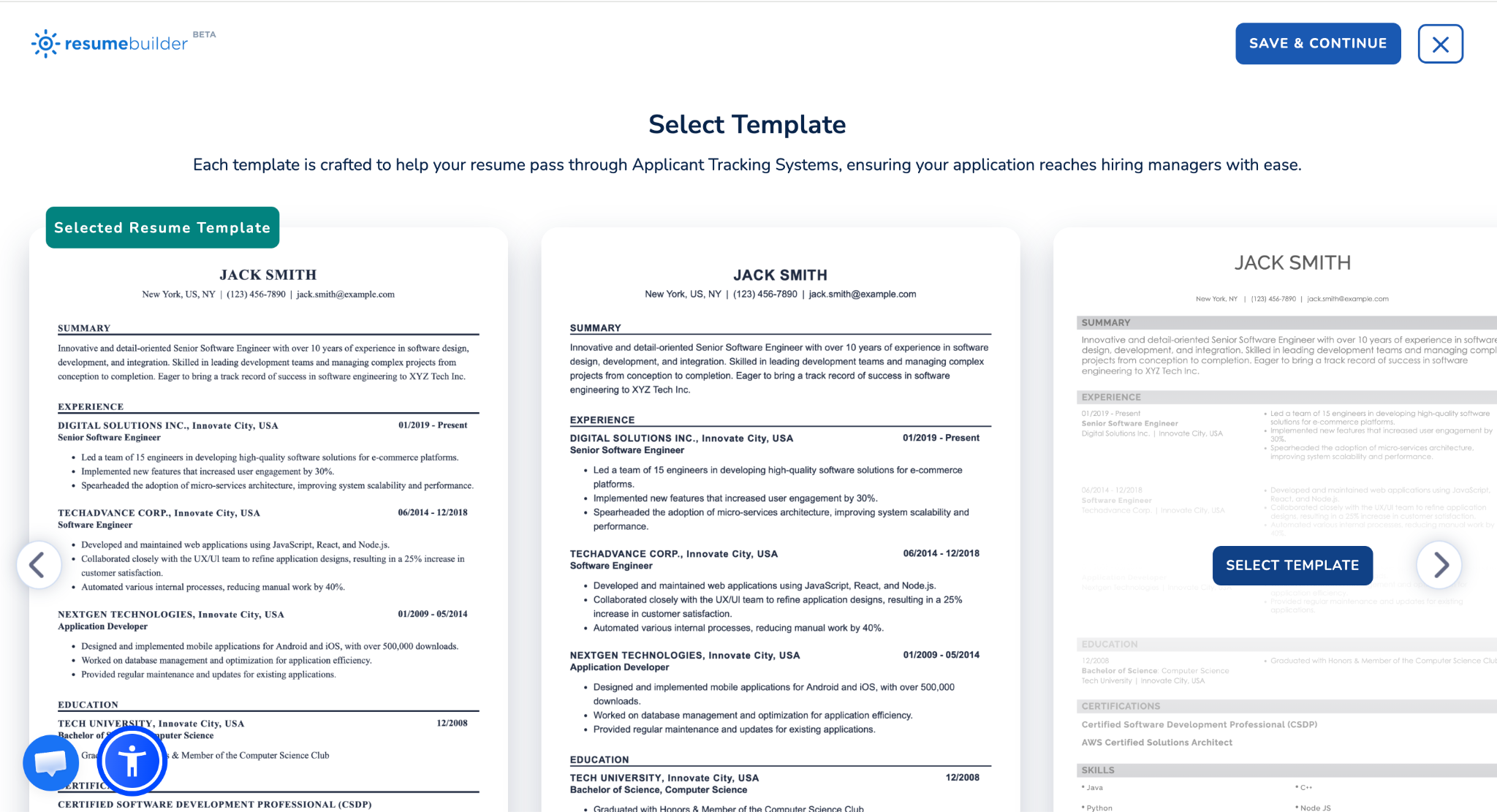
In Big Interview, you can upload your own resume and work with it, or you can pick a template from our library. All the templates follow recruiter and ATS practices for layout, fonts, white space, and readability.
FAQ
How to make a resume stand out visually?
Your resume doesn’t need to stand out visually. If you work in a creative field, use your portfolio to demonstrate your design skills and include a clear link to it on your resume. Your resume is supposed to highlight your experience, results, and relevant skills, so focus on content first. The strongest resumes stand out because they show a clear match for the role and the value you can bring.
How much should I change for each application?
You should customize your resume for every application, but it’s usually enough to change the summary, the skills section, and your top three to five bullets, plus a keyword swap or two to match the posting.
Should I use AI to customize my resume?
It can help. AI is good at organizing information, tightening wording, and spotting keywords you missed. Feed it your real accomplishments and the actual job description, then edit what comes back so every number and detail is true and specific to you.
How long should my resume be?
One page suits most candidates, two if your experience justifies it (for 10+ year-long careers). Every line should earn its place by making you a stronger fit for the specific role you are applying to.